Background
There are currently limitations within SuccessFactors whereby the application URL for each job cannot be modified, as it is automatically generated. In some cases, recruiters may wish to direct applicants to an external recruitment agency instead.
Application URL Override
To support this requirement, a field in the Careers Vic backend has been created, Application URL Override. When populated, this field will replace the default application link displayed on the Careers Vic site with the supplied URL.
Process
In these circumstances, departments can follow the process outlined below to request an application URL override:
- The recruiter creates the job in SuccessFactors.
- The recruiter contacts VPSC via the Contact Us page on the Careers Vic site to request an override of the job application URL. The recruiter must include the job title, job reference number and the application URL in the request. A Freshdesk ticket is created and assigned to the next available agent.
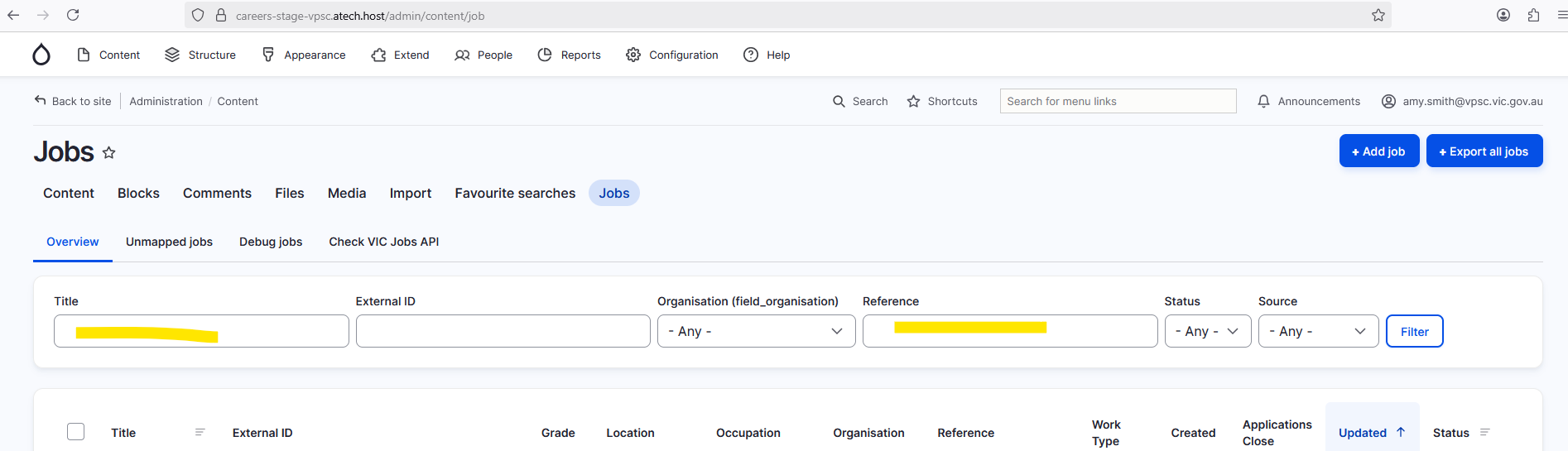
- DISM team waits for the job to be imported into Drupal and searches for the job in the Jobs page by entering the job title or job reference number.
- DISM team updates the job record and enters the supplied URL into the Application URL Override field.
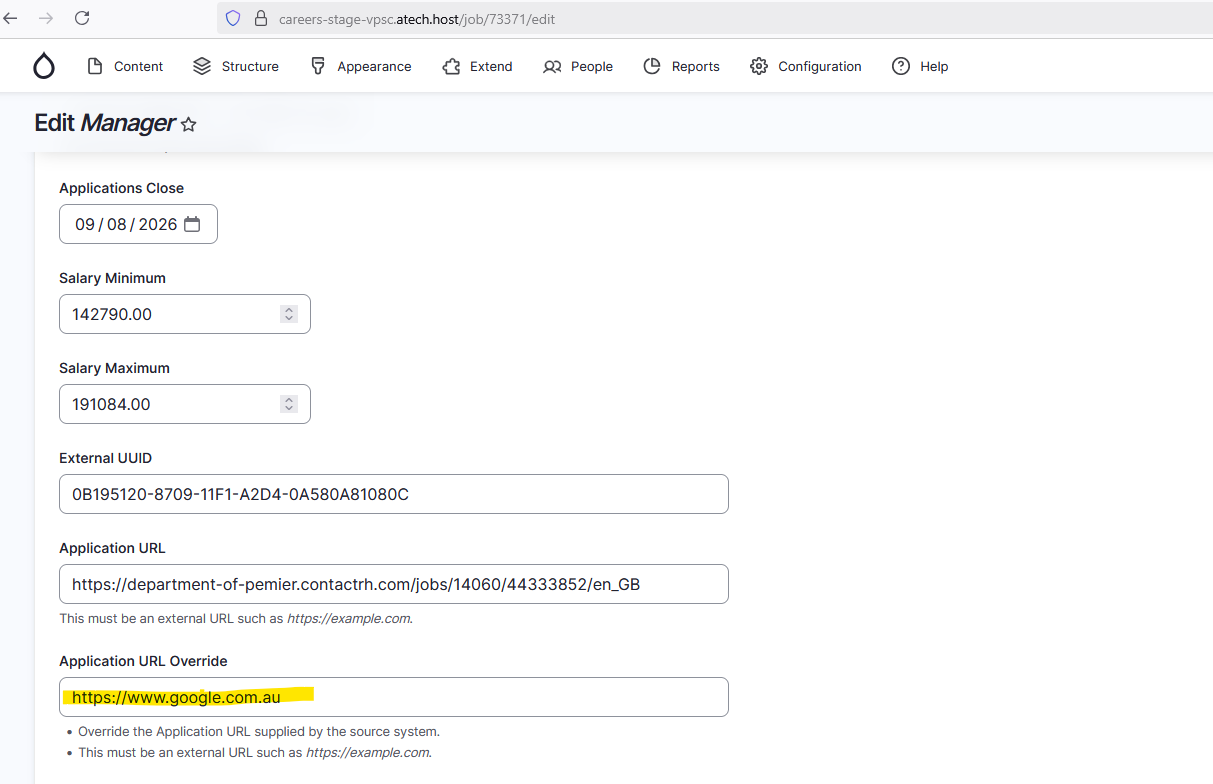
The job will then display and use the overridden application URL on the Careers Vic site.
Important notes
Once applied, subsequent job updates will not modify the overridden URL. However, if the job ad is deleted and recreated in SuccessFactors — for example, by a recruiter creating a new job ad instead of updating the existing one — the override may need to be applied again.
Was this article helpful?
That’s Great!
Thank you for your feedback
Sorry! We couldn't be helpful
Thank you for your feedback
Feedback sent
We appreciate your effort and will try to fix the article