For tickets in relation to a broken link within an application:
- Obtain job advertisement details from applicant
- Department/Organisation
- Job Title
- URL link
- Screenshot of where the link appears within the application process
- Provide alternate source in replacement to the broken link
- eg currently there are issues with KSC links from workflows. Refer applicant to How to Apply
- Log into the Springboard portfolio back end
- Look up recruiter for the job requisition/advertisement.
- Email the contact who created the job requisition to inform of the broken link.
- The recruiter will need to update their workflow form and remove the broken link.
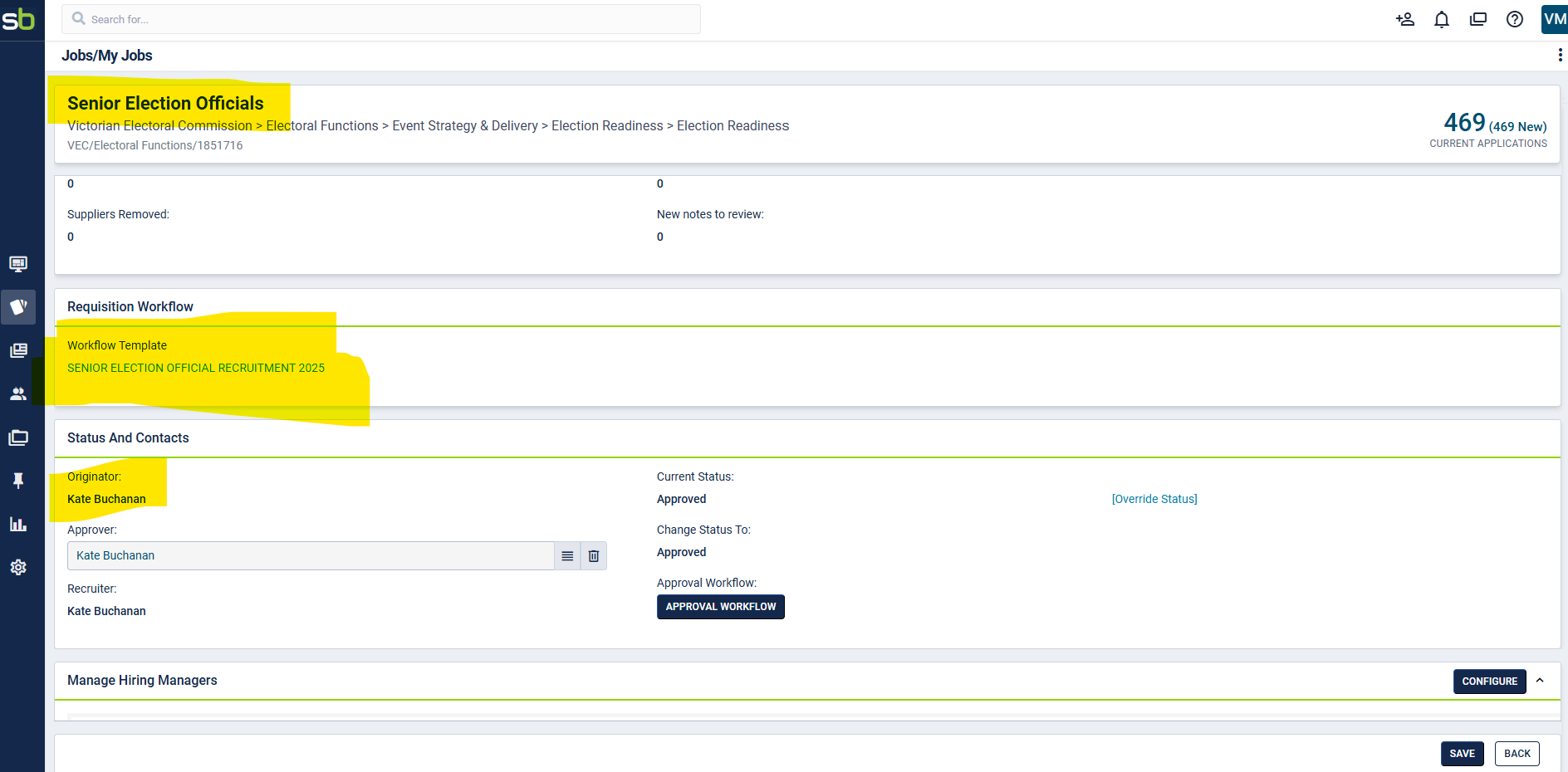
- Close ticket.
PREVIOUS FRESHDESK TICKETS
https://vpscsupport.freshdesk.com/a/tickets/30434
PREVIOUS PEOPLESCOUT TICKETS
Was this article helpful?
That’s Great!
Thank you for your feedback
Sorry! We couldn't be helpful
Thank you for your feedback
Feedback sent
We appreciate your effort and will try to fix the article