PROBLEM:
Job posting has incorrect occupation value.
A job posting with an incorrect 'occupation' value will affect search results and can affect job applications.
POSSIBLE CAUSE:
Occupation value may not be mapped correctly on CMS.
TO DO:
- Obtain from ticket holder: title of role, job requisition, correct occupation value.
- Check web page to review error.
- Check Springboard to review field value.
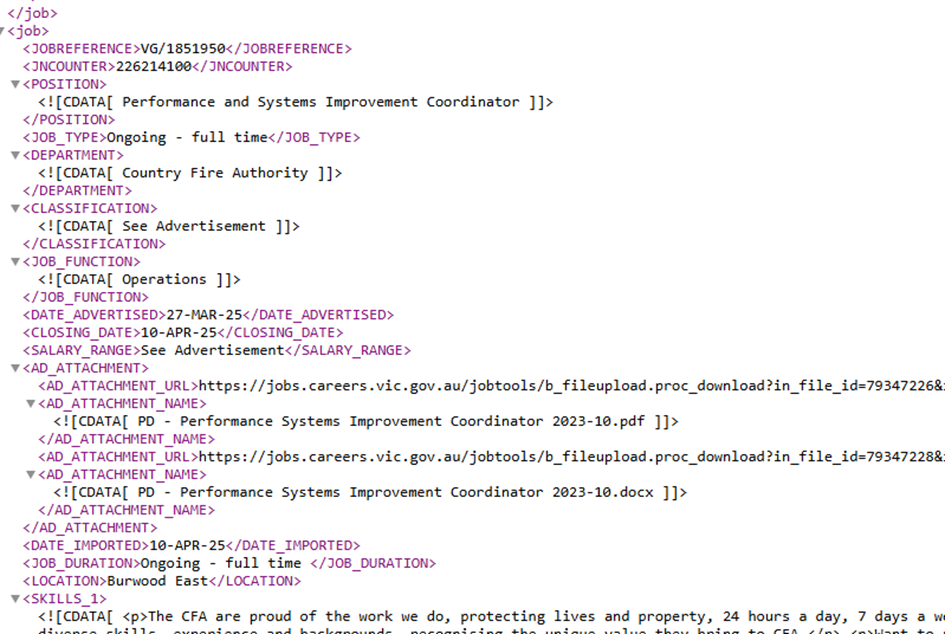
- Check XML feed to review field value.
- Check the proposed correct occupation value is available from the drop down list on the Careers Vic website.
If Springboard and XML feed show same value and webpage shows different value, the job will need to be re-mapped on CMS.
- Logon to CMS.
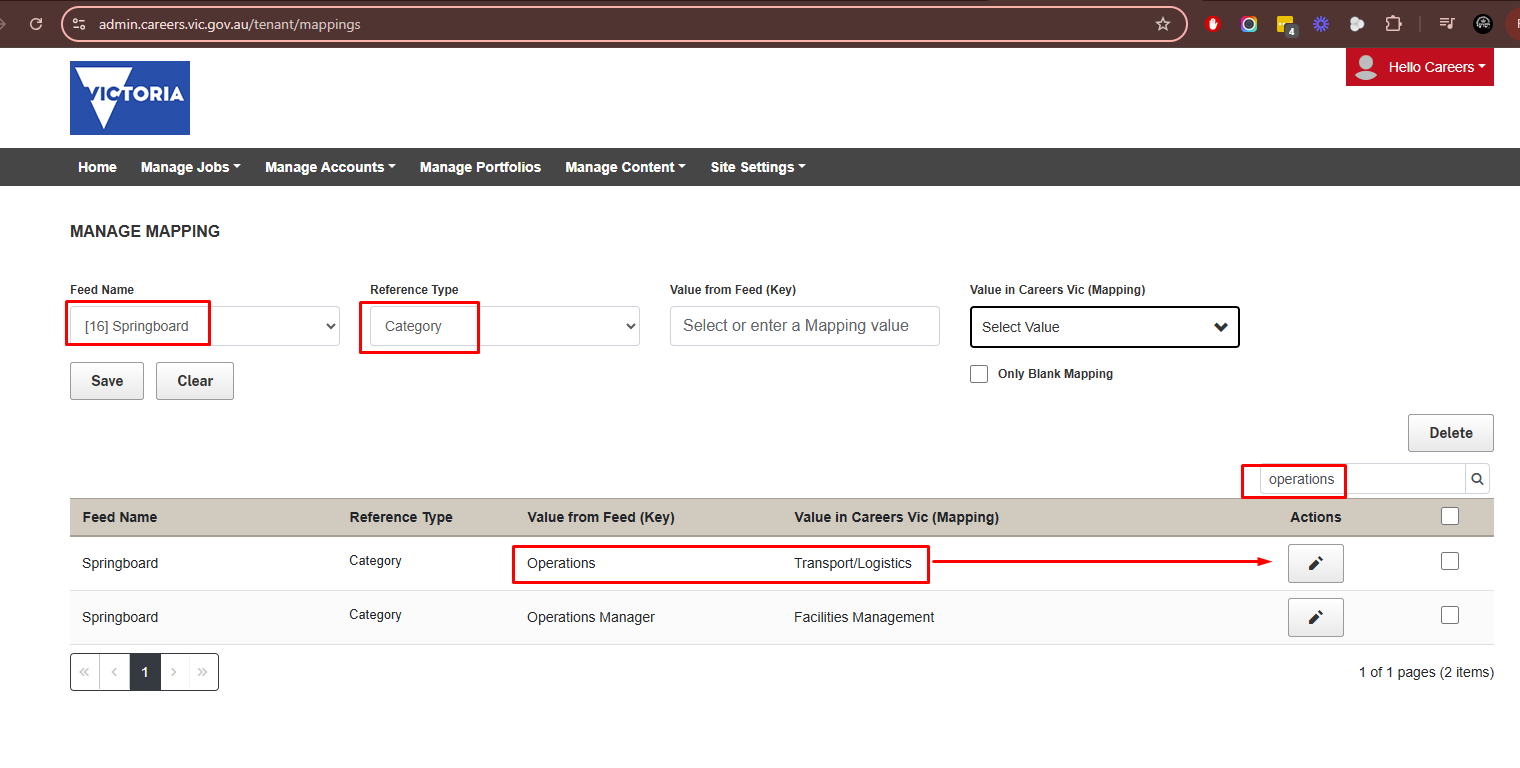
- Click on Manage Jobs and select 'Mapping'.
- Select Springboard as Feed Name.
- Select Category for Reference Type.
- In the search field on the right hand side, enter in the current value (in Springboard).
- Click on the search magnifying glass icon.
- The role should appear to be re-mapped.
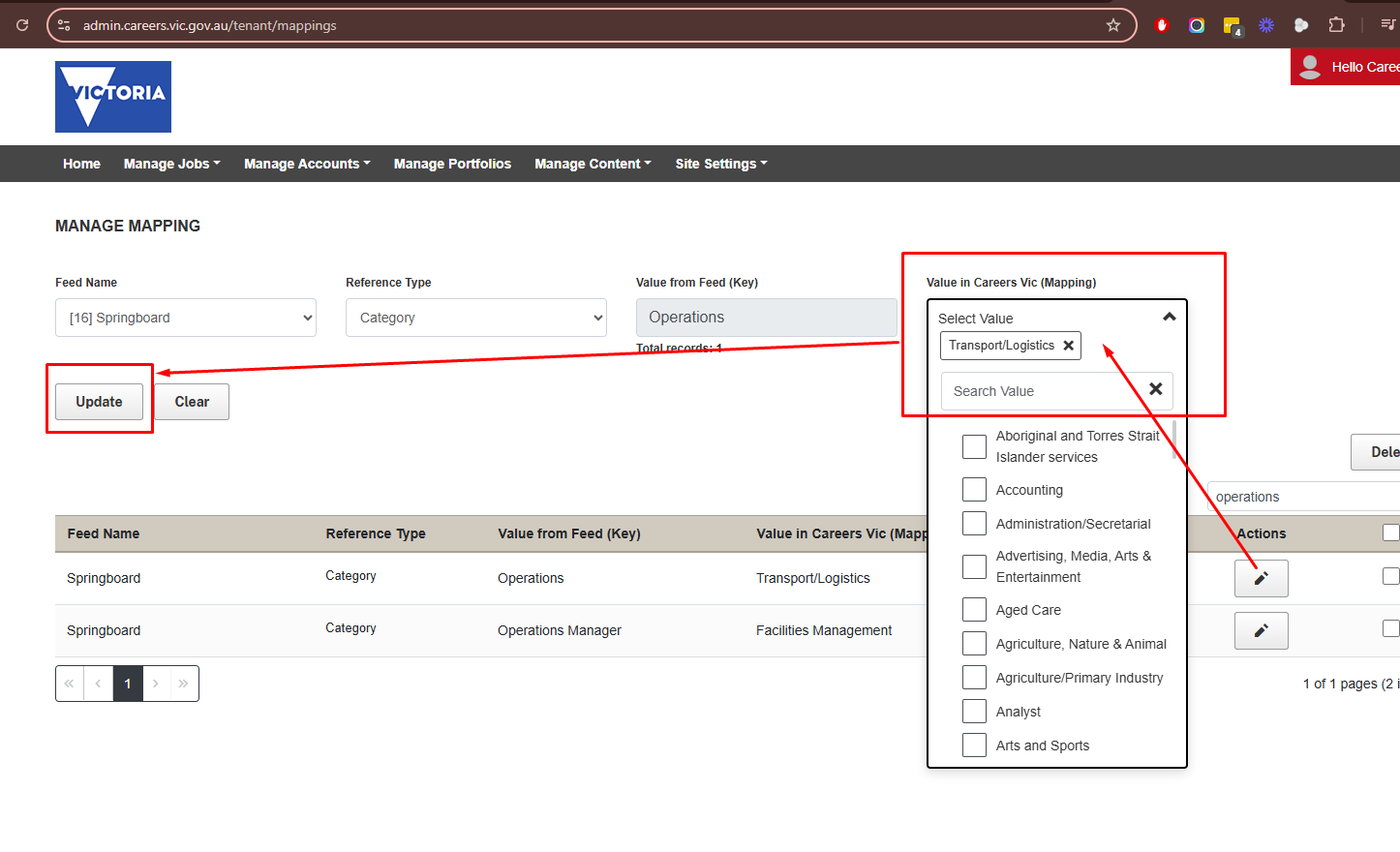
- Click on the pencil under Actions for the role to be re-mapped.
- Then Select the correct value from the drop down list under 'Value in Careers Vic (Mapping).
- Ensure it is correct.
- Click on Save.
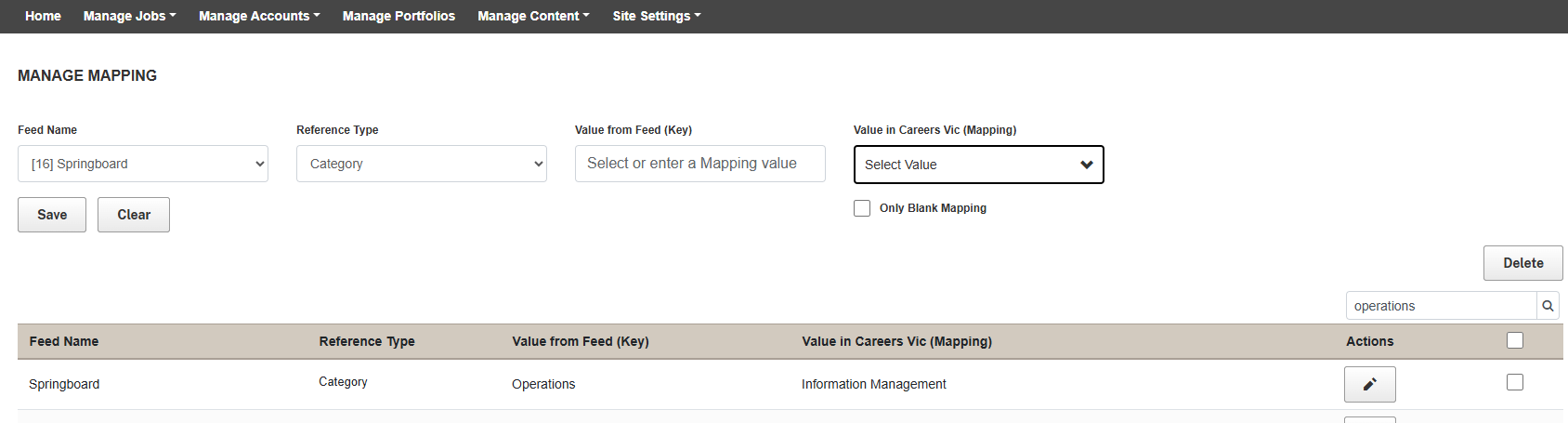
Check job posting after 15 to 30 minutes to ensure the value has been corrected.
If it is not corrected, log a ticket with Apply Direct and request for this to be actioned.
PAST EXAMPLES:
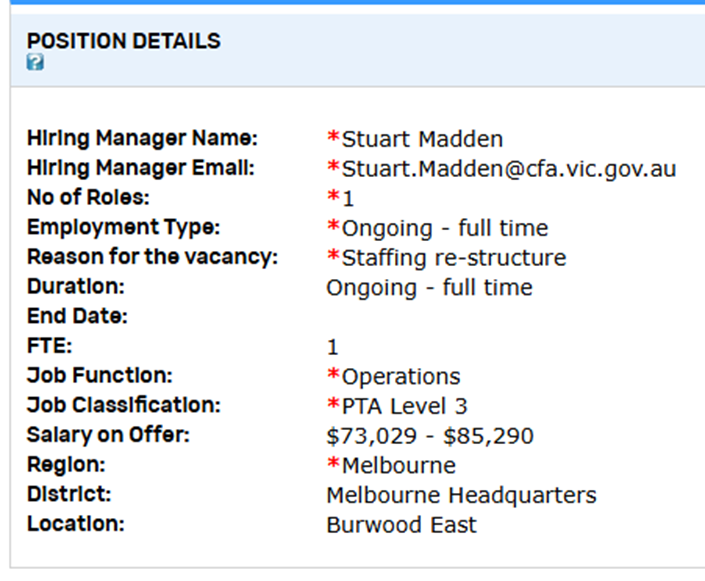
For example, the below screen shot shows Occupation is set to Transport/Logistics.
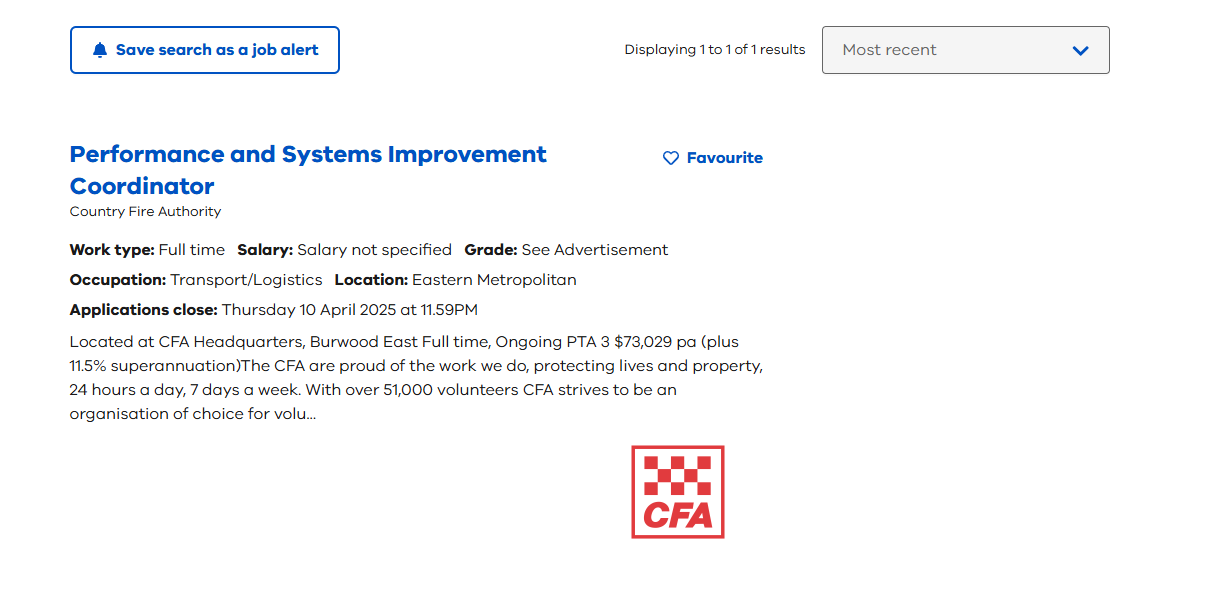
However on Springboard in job requisition and advertisement it is set to Operations.
PREVIOUS TICKETS:
Freshdesk: 27239
Apply Direct: CVIC-746
Was this article helpful?
That’s Great!
Thank you for your feedback
Sorry! We couldn't be helpful
Thank you for your feedback
Feedback sent
We appreciate your effort and will try to fix the article